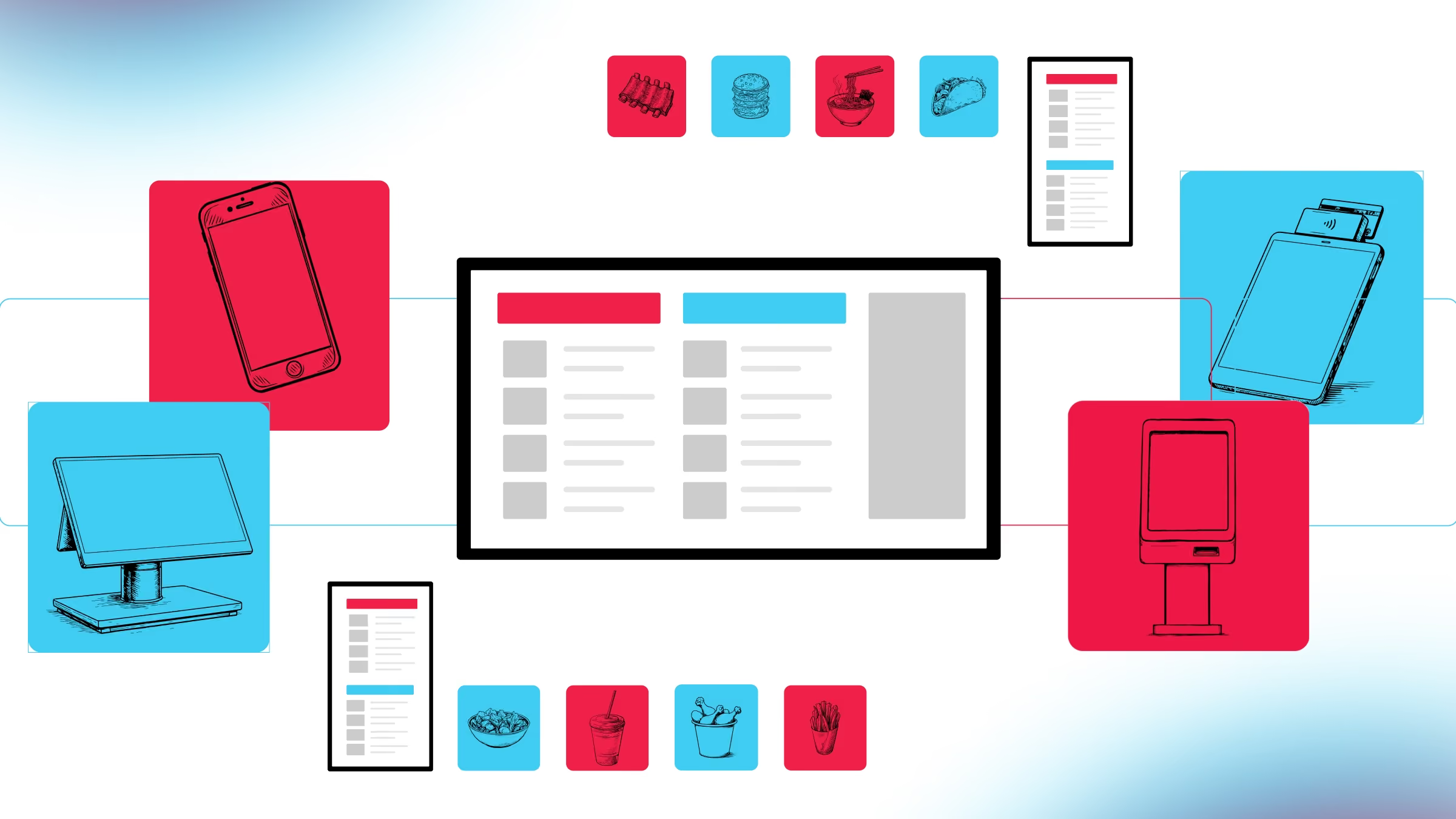
Multi-location restaurant brands, from 10 to 2,500+ locations, manage menus across POS, third-party delivery kiosks, drive-thru, and first-party ordering every day. Without a centralized menu management system, every update creates duplicate work, inconsistent guest experiences, and operational risk. Qu's Intelligent Commerce Platform provides a single source of truth that keeps every menu, channel, and location synchronized.
Key Takeaways
- Most QSR and fast casual operators maintain menus across 6 or more different locations. Brands with large catalogs or multiple concepts often exceed ten.
- Nearly 75% of restaurant traffic is now off-premises, so the channels most likely to carry a stale (or inaccurate) menu are the majority of the business.
- Accurate delivery orders produce a 93% guest satisfaction rate. Inaccurate ones produce 48%.
- Qu's single item master lets one item behave differently by channel, location, daypart, and order type without ever being duplicated.
- One edit on Qu's single menu system pushes everywhere at once, including DoorDash, Uber Eats, and Grubhub, so 86-ing an item takes effect in minutes rather than an afternoon.
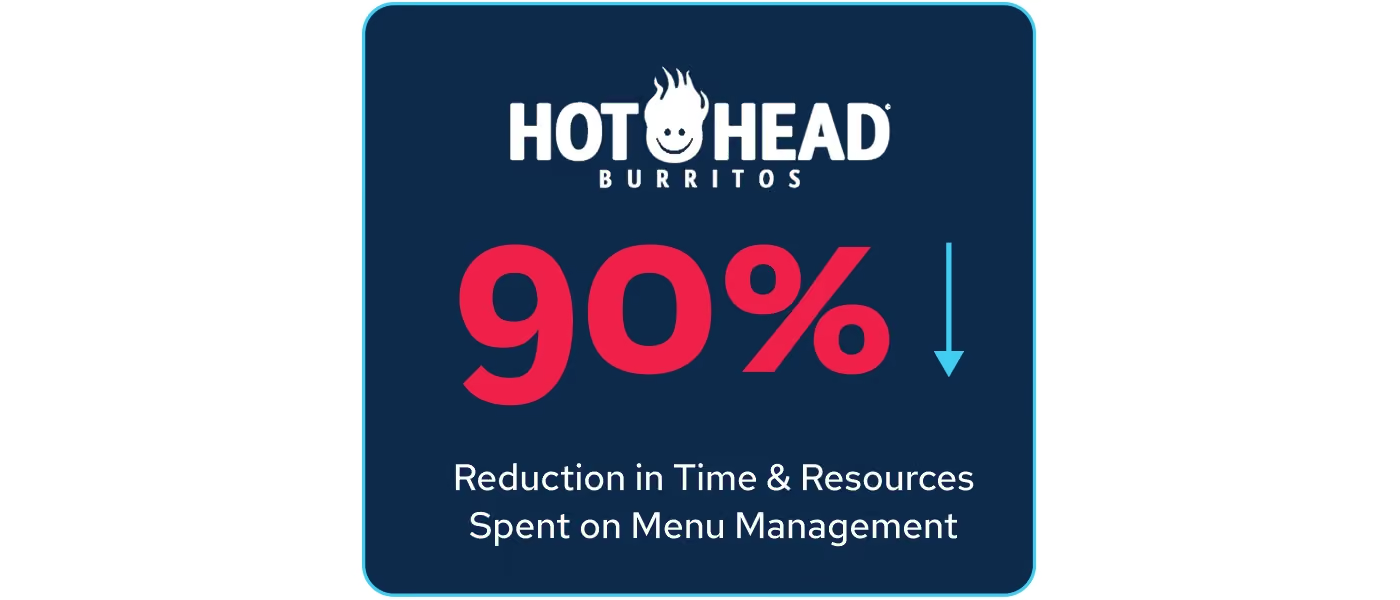
- Hot Head Burritos cut the time and resources spent on menu management by 90%.
1. Why Multi-Channel Menu Management Breaks Down
Multi-channel menu management breaks down when the same menu is maintained across 6 or more systems, and often by different people. Multi-unit operators run an average of 6 back-of-house software tools alone, before counting the POS, the kiosk, the drive-thru, or the delivery marketplaces themselves (Crunchtime, 2023 Restaurant Operations Report).
Launch a new item. Run a price increase. Pull a seasonal LTO the day it's supposed to end. Each of those becomes the same checklist: update the POS, update the kiosk, update your app and website, rebuild the DoorDash listing, rebuild Uber Eats, rebuild Grubhub, cross your fingers nothing got missed. Miss one, and a guest orders an item at the wrong price, or one that shouldn't exist anymore, and now it's a refund, a complaint, or a kitchen scrambling to make something they don't have.
This is the reality Peter Wiley, Co-Founder of Hot Head Burritos, lived before unifying his menu with Qu.
“I don't have to manage a bunch of different menus, so my in-house labor comes way down while my profitability goes up.”Peter Wiley, Co-Founder, Hot Head Burritos
That's the whole story in one sentence: fewer menus to manage means fewer people needed to manage them, and the savings drop straight to the bottom line.
The same menu change requires a different amount of work depending on how the menu is built. Here is what four routine tasks look like either way.
What Happens When Every Channel Has Its Own Menu?
It's Tuesday afternoon. You just got word that a key ingredient is out at three locations, so you need to 86 an item...today...everywhere it appears.
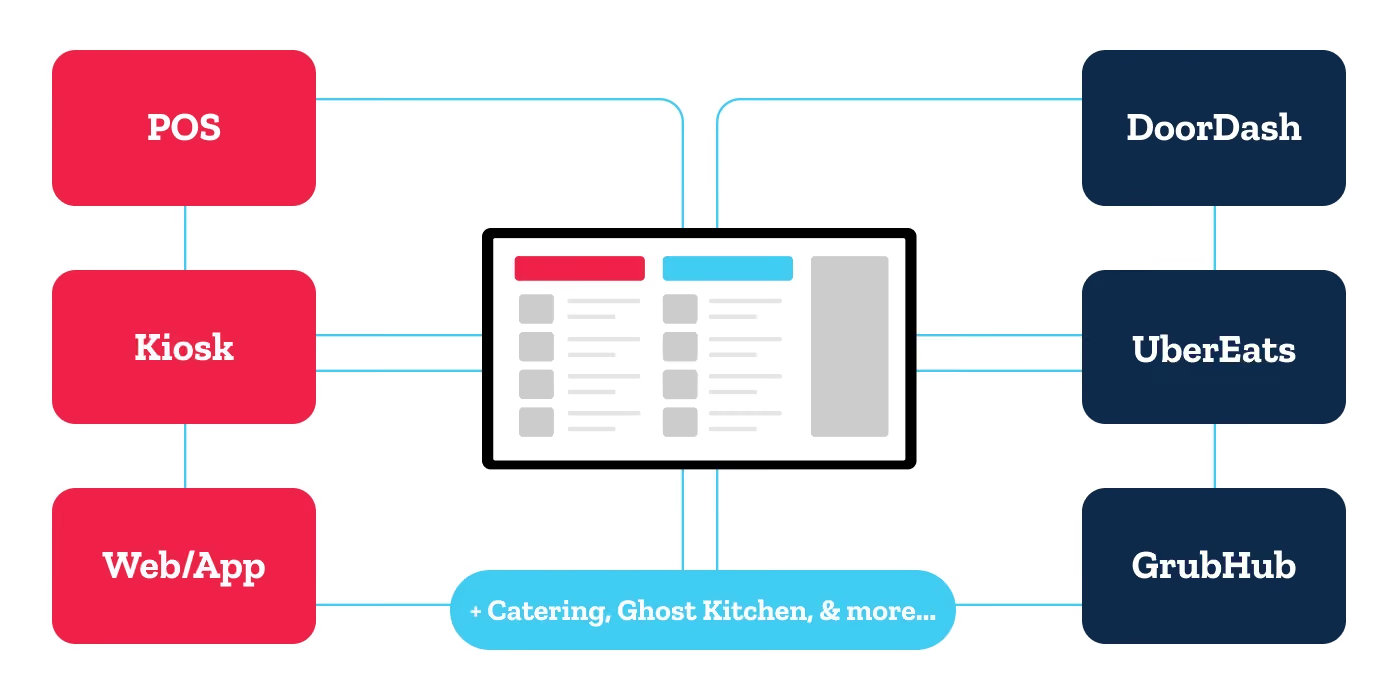
That means logging into your POS to pull it. Then the kiosk system, because it doesn't know the POS exists. Then your own app and website, because first-party ordering is its own build too. Then DoorDash, Uber Eats, and Grubhub, each with their own dashboard, their own login, their own quirks.
An hour later, you're still not sure the kiosk actually took the update, and by the time you find out it didn't, three guests have already ordered an item you don't have. Now it's:
- three refunds,
- three one-star reviews,
- and a kitchen team scrambling to make something that isn't there.
If that sounds familiar, you're not alone, and it's not a minor annoyance. Most QSR and Fast Casual operators manage the same menu in at least 6 different places, and some brands with a large catalog, multiple concepts, or significant promotional complexity juggle ten or more. Nearly 75% of all restaurant traffic is now off-premises (National Restaurant Association, 2025 Off-Premises Restaurant Trends), which means channels running a stale menu are no longer the exception.
Every one of those systems is a place where a price can be wrong, an item can be missing, or a promotion can quietly run past its end date. That shows up as real money:
- lost revenue from mispriced items, refunds, and comped orders when something's off
- guest trust that erodes one bad experience at a time
- and hours of your team's week spent re-keying the same change into system after system instead of running the business
This guide is about what happens when you stop paying that tax every day, and what it actually looks like in practice, told through the operators who've lived it.
2. The Fix: One Menu That Knows Where It's Being Served
Context is King: How a Centralized Menu Management System Works
A centralized menu management system replaces 6 menus with one: a single source of truth built off the item master. Every channel, every location, and every order type pulls from that same record, so the item is never duplicated no matter how, where, or when it's sold. Every channel, every location, and every order type pulls from that same record, so the item is never duplicated no matter how, where, or when it’s sold. This is what centralized, multi-channel menu management actually means.
What makes this work is that the menu isn't static. A single item can behave differently depending on where, when, and how it's ordered, without you ever duplicating it.
Say you're running a burger chain: your burger can cost one price at the counter and a slightly higher price on delivery to cover platform fees. It can be on the menu for lunch at your corporate stores, but off the menu at a franchise location that wants to run something different. It can show up as a limited-time offer on your kiosks only this week. It can be served as a single item or as part of a combo meal. You configure all of that once, and from there you only touch it when the item characteristics need to be adjusted. Making that edit in one place, which then pushes the update system-wide to all menus at once.
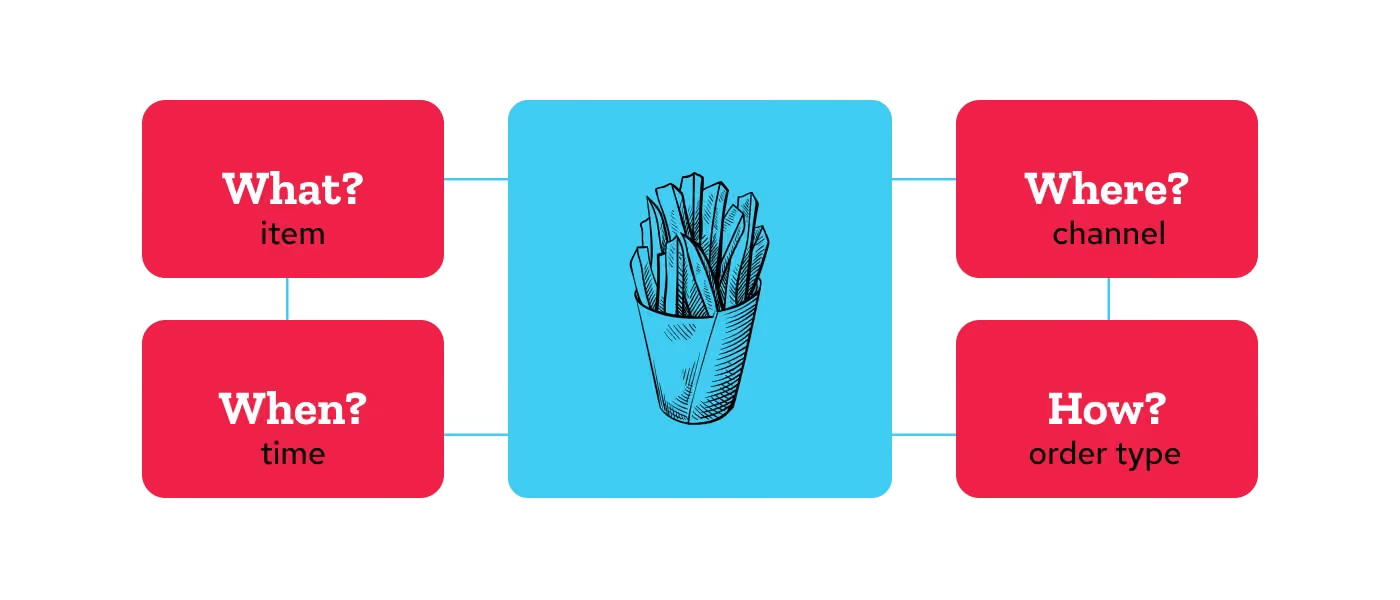
Think of it like four questions, each item answers for itself:
- What is it?
- When is it available?
- Where can it be ordered?
- How is it being ordered: pickup, delivery, dine-in?
Once an item knows the answers, it knows exactly how to show up correctly everywhere, without anyone having to rebuild it channel by channel.
The Levers You Actually Control
Underneath that one menu are eight separate dials you can turn independently:
- Stores: location-based rules and permissions across your entire footprint
- Employees: access control and role-based permissions
- Menu: how menus are structured and surfaced across channels
- Reporting: unified item IDs that drive consistent analytics across every use case
- Discount: discount rules, eligibility, and promotional logic
- Service Charge: additional fee configuration and management
- Taxes: location-based tax rules
- Price: pricing tiers, channel-specific pricing, and franchise controls
Managing Menus Across Multiple Locations
Managing menus across multiple locations is where most systems break down, because the honest answer at most brands is that each store, or each region, ends up maintaining its own version. A single item master with location groups removes that. You set the rules once at the top, and every location inherits what applies to it.
They don't step on each other. You can group your stores one way for pricing and a completely different way for tax purposes, because those really are two different problems. Open a new location, add it to the right groups, and it automatically inherits everything it needs, no rebuilding required.
And because everything flows top-down, you set the guardrails once and let the exceptions happen locally. A franchisee adjusts their own pricing within the bounds you set. A regional team runs a local promotion without touching your national menu. A single store manager 86's an item without anyone else even noticing.
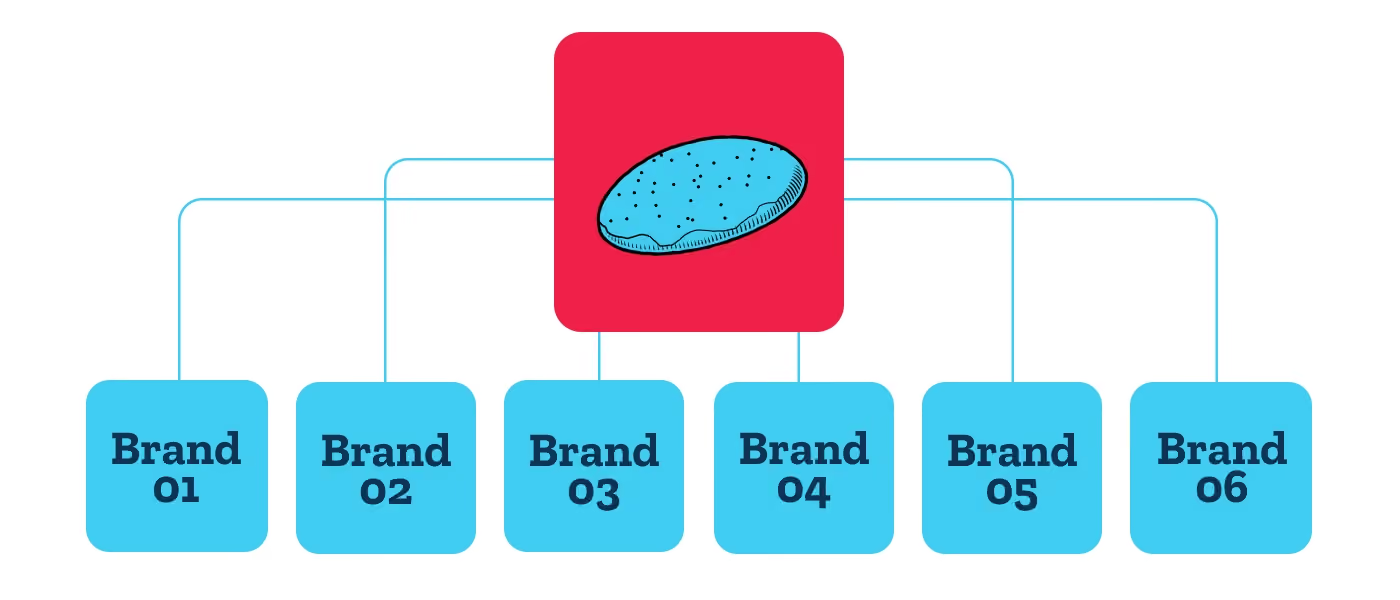
3. Multi-Brand Menu Management: One Item Master, Six Concepts
Now stretch this across not one brand, but 6. That's the situation Kyle Marks, CIO of WOWorks, was solving for, a portfolio of fast-casual concepts, each with its own menu, its own culinary identity, its own quirks. The old way meant 6 menus, 6 sets of item IDs, 6 teams touching 6 systems.
Here's what changed:
With Qu, shared items like a chocolate chip cookie are standardized across brands. There's no need to worry about different PLUs or item IDs, everything is managed effortlessly from one back end, simplifying multi-brand operations.Kyle Marks, CIO, WOWorks
A cookie is a cookie, wherever it's sold. Instead of 6 versions of that cookie living in 6 systems under 6 different codes, it lives once in the item master and carries across every brand that sells it. Multiply that by every shared ingredient, side, and value-meal component across a 6-brand portfolio, and you start to see why WOWorks was able to run a smaller, leaner tech team instead of one team per brand.
Menu Data That Adds Up: Unified Item IDs and Channel Reporting
How did our chicken burrito bowl sell last quarter? Sounds simple. But if that bowl lives as "Chicken Burrito Bowl" in the POS, "Bowl" on DoorDash, and "Chicken Bowl" on the kiosk because someone rebuilt it there two years ago, you don't have one answer. You have three, and someone spends an afternoon reconciling them by hand before anyone can act on the numbers.
When every channel pulls from the same item master, that duplication problem goes away. One item, one ID, one record of what happened. Sold at the counter, sold on a kiosk, sold through the app, sold on delivery, it all rolls up to the same line in the report.
Combos and modifiers work the same way. Order a value meal and every component inside it gets tracked on its own, so you can see which items are actually pulling the combo forward. Stack a bunch of modifiers on an item and those come through cleanly too, even though the guest and the cashier only saw a simple ordering flow. The interface stays easy. The underlying data stays honest.
The questions you couldn't answer before, or could only answer after a small data project, are the ones you can pull up on a Tuesday morning.
4. Third-Party Delivery Integration: What This Looks Like Day to Day
Third-party delivery integration deserves its own callout here, because DoorDash, Uber Eats, and Grubhub created a very specific kind of chaos: a tablet for every platform cluttering the counter, orders printed out and manually re-typed into the POS, and all the fat-fingered mistakes that come with re-keying an order by hand. First-party ordering has its own version of this problem: your app and website are supposed to be the channel you control most, yet they're often the ones running on the oldest, most out-of-sync menu build.
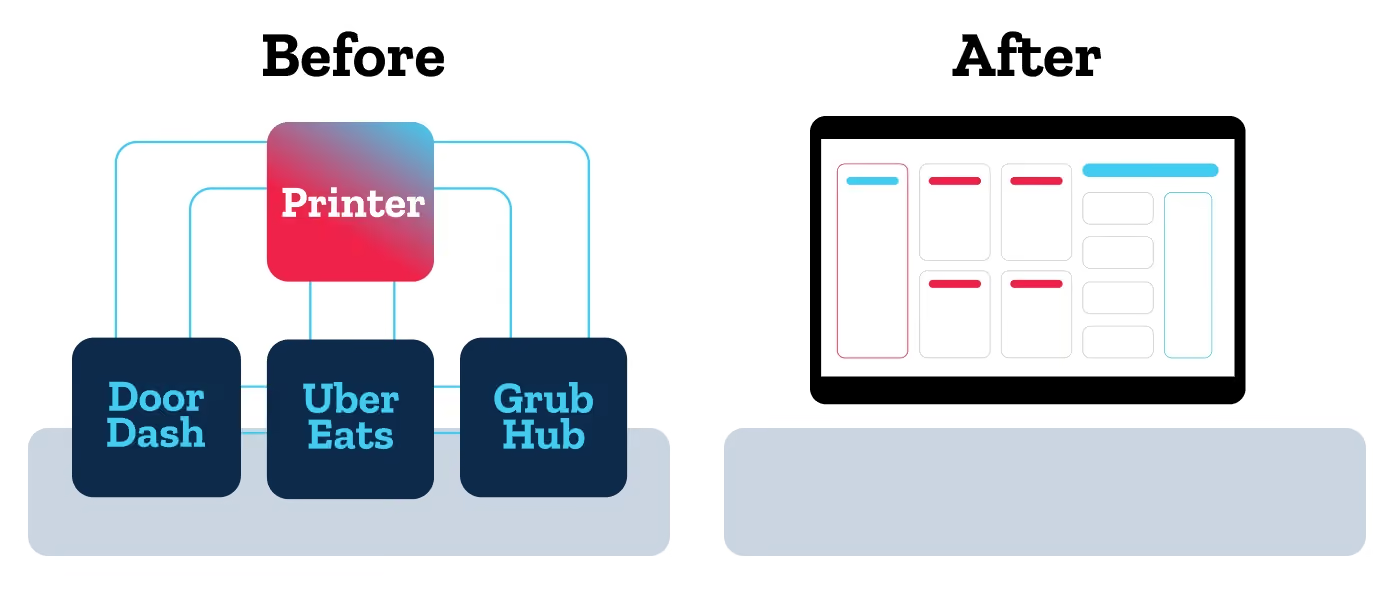
With a single menu powering everything, your item master talks directly to DoorDash, Uber Eats, and Grubhub. What a guest sees on a delivery app is exactly what's true in your restaurant right now, not a separately maintained copy that's a day behind.
Set a breakfast item to disappear from the menu at 11 a.m., and it disappears everywhere, automatically, including on every delivery platform. 86 an item because you ran out, and within minutes, it's gone from every channel, no tablets touched, no separate logins, no refund to process because a guest never should have been able to order it in the first place.
DoorDash tells merchants the ideal Missing or Incorrect rate is under 2.25% of delivered orders, and that a clear, concise menu can reduce accuracy errors by 20 to 50%. The platform is describing menu data quality as an accuracy problem, which is exactly what it is.
The guest cost is measurable. In mystery-shop research across 600 delivery orders, accurate orders produced a 93% satisfaction rate. Inaccurate ones produced 48% (Intouch Insight, 2025 Third-Party Delivery Study). First-party delivery scored highest on accuracy at 90%, which is a good argument for owning both the channel and the menu behind it.
Take Mayhem Off Your Menu
If you're ready to maximize potential, and minimize menu stress, reach out. Qu can help.
Talk to an ExpertThe Payoff: Hours Back, Not Just Efficiency
The numbers behind this tell their own story. Hot Head Burritos cut the time and resources spent on menu management by 90%. Hours that used to go into rebuilding the same menu five times over are now spent on running the business instead.
5. Menu Management Labor Calculator
See what it adds up to for your operation. The calculator below runs the estimate based on your actual inputs: location count, estimated hours spent on menu updates per week, and average labor cost. Plug in your numbers and see what unified menu management could give back to your team.
Two More Operators, Two More Versions of the Same Story
Every operator's menu tells a slightly different story, but the pattern repeats.
Picture the back of a busy counter running third-party delivery. There's a tablet for DoorDash, a tablet for Uber Eats, a tablet for Grubhub. Each one beeps on its own schedule. Each one holds an order somebody has to walk over, read, and re-key into the POS by hand. Miss a keystroke and an order goes out wrong. One mid-market operator, writing publicly about what problems Qu solves for them, put it simply.
What problems is Qu solving and how is that benefiting you?"Improving integration with 3rd party delivery companies. We have completely eliminated our 'tablet hell' and there seem to be improvements every year."Chase G., mid-market restaurant operatorVerified Qu Customer
The tablets go away because they no longer have anything to do. Every 86, every price change, every LTO start and end date lives in one place and pushes to each delivery platform on its own. What used to be a counter cluttered with hardware becomes the same POS station it should have been all along.
Now stretch that same one-menu-record model up to an enterprise brand. At that scale, changing a menu or launching a discount is rarely just a menu edit. Brand teams weigh in. IT weighs in. There's a runbook, a change window, a rollback plan.
Once one menu record can push everywhere, updating a menu or building a discount stops being a multi-team project. The change control still exists for the changes that need it. The routine edits stop needing it.
Menu Management FAQ
Q: What Is Menu Management?
A: Menu management is the process of creating, updating, and controlling menu items, prices, and availability across every place a restaurant sells. For multi-location brands, that means one item master feeding the POS, kiosks, drive-thru, first-party app and website, and third-party delivery platforms, so a single edit updates every channel at once.
Q: How do you update a menu across DoorDash, Uber Eats, and Grubhub at the same time?
A: You update a menu across DoorDash, Uber Eats, and Grubhub at the same time by connecting all three platforms to one item master. When you launch a seasonal LTO or change a price, that edit flows to every third-party channel within minutes, with no separate logins and no manual workarounds. What the guest sees in the app reflects your restaurant's actual pricing and availability.
Q: Can you set different prices for delivery and in-store on the same menu item?
A: Yes. Channel-specific pricing lets one item carry a different price at the counter than on delivery, so you can cover third-party platform fees without duplicating the item or maintaining a separate delivery menu. The item stays a single record with a single ID, which keeps your sales reporting accurate across every channel.
Q: What size restaurant chain is multi-channel menu management built for?
A: Multi-channel menu management is built for multi-unit QSR and fast casual operators running 20 to 2,500+ locations. The complexity it solves starts at around 20 locations, where the same menu is already being maintained in six or more systems, and it scales through large franchised and multi-brand portfolios. It is not designed for single-location shops or traditional table-service concepts.
Q: What is the best menu management system for a restaurant with 20 to 50 locations?
A: For a growing chain with 20 to 50 locations, the best menu management system is one that treats every ordering channel as a single menu rather than a set of integrations bolted together. Qu's Intelligent Commerce Platform is purpose-built for multi-unit QSR and fast casual brands at that size, with one item master feeding POS, kiosk, drive-thru, first-party ordering, and third-party delivery.
Q: What is the difference between menu management software and a POS system?
A: Menu management software controls what is sold, priced, and available, while a POS system processes the transaction. In most multi-location brands the two are separate, so the same menu gets rebuilt in every channel. Qu combines them, running POS, kiosk, drive-thru, first-party ordering, and third-party delivery from one item master.